Modly - Free Local AI 3D Model Generation, No Cloud Required
Modly turns any photo or text prompt into a textured 3D mesh entirely on your local GPU. Open-source, MIT-licensed, with an extension system that lets you plug in any image-to-3D model you want.
What it is
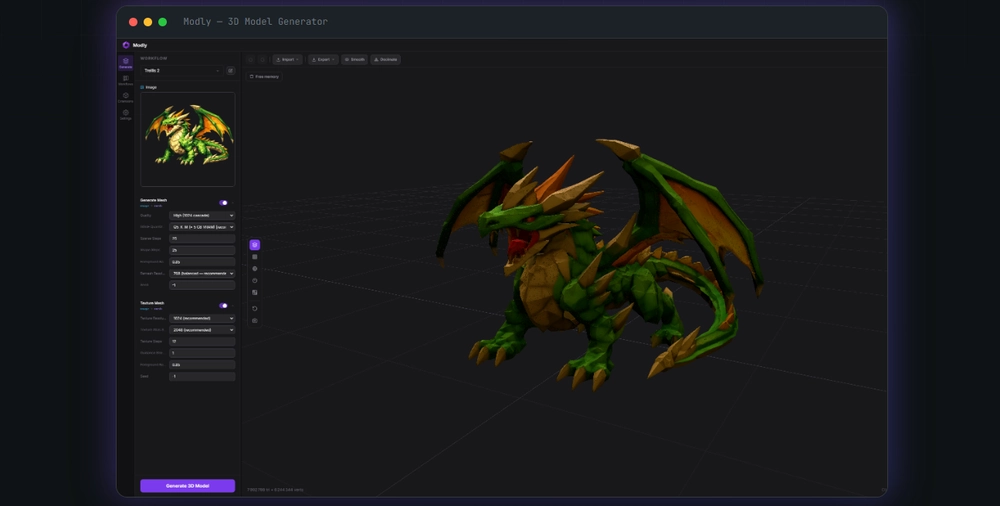
Modly is a desktop app that turns photos or text prompts into 3D meshes using open-source AI models, and it does everything locally on your GPU. No cloud, no account, no credits, no subscription. Download it once, generate unlimited models, forever.
Created by Lightning Pixel, it's MIT-licensed and has picked up around 800 stars on GitHub since it started in early 2026.
So…. does it work?
I have to say, the documentation was a bit sparse when I started with it, and even when coming with a normal Windows installer, it wasn't easy at first. The main problem here is that, you can't just start. You will have to install a number of plugins to make workflows, so the image to 3D Model rendering works.
I would have wished for more guidance at this point, as I have ABSOLUTELY NO CLUE about 3D renders, or models doing it etc… So a little simple tutorial on the official website would have been appreciated.
All I knew at the start, is that I wanted to use the new Trellis2 Model from Microsoft, as it looked really promising. Sadly, no extension was listed, but then I found what I looked for on GitHub:
https://github.com/lightningpixel/modly-trellis2-gguf-extension
(Basically for most 3D Models you can find some nice extension made by the creator here: https://github.com/lightningpixel?tab=repositories)
With the option to install an extension by repo url, I then managed to add this extension and started the installation….. that lasted almost 2 days.
I didn't really got much information on why, but what I saw was an installation of a certain AI related models and scripts, and some seem to have not so fast servers behind them for download. So it was a game of patience. But once installed, I could finally setup the workflow as I saw it in the github image and then start some rendering, locally. Yayyy!!!
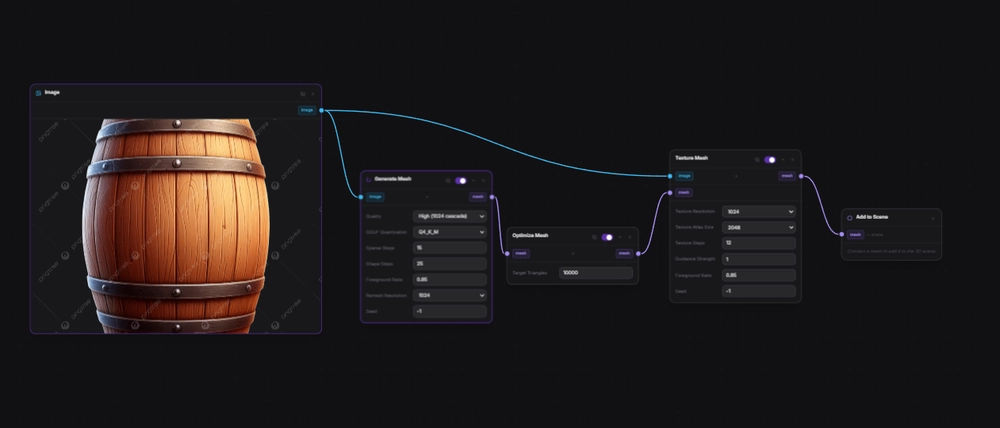
The rendering process with Trellis2 takes quite some time. I have a RTX3060 with 12Gb Vram and a simple picture like this takes around 20-30min until finished in a full render.
So…. is it good?
I have to say, most of the image to 3D renders I made with Trellis2 and Modly have been pretty good. Only like 10% of the results haven't been right (textures, or 3D models messed up). So I would give this a thumbs up globally. There are still duds, but I think that's to be expected. It's not easy to analyse an image and make a perfect 3D Model out of it. Also I have seen that the quality of the input image contributes to this. Image with more clearly separate colors and preferable no background works the best. (Well, as expected I would say).
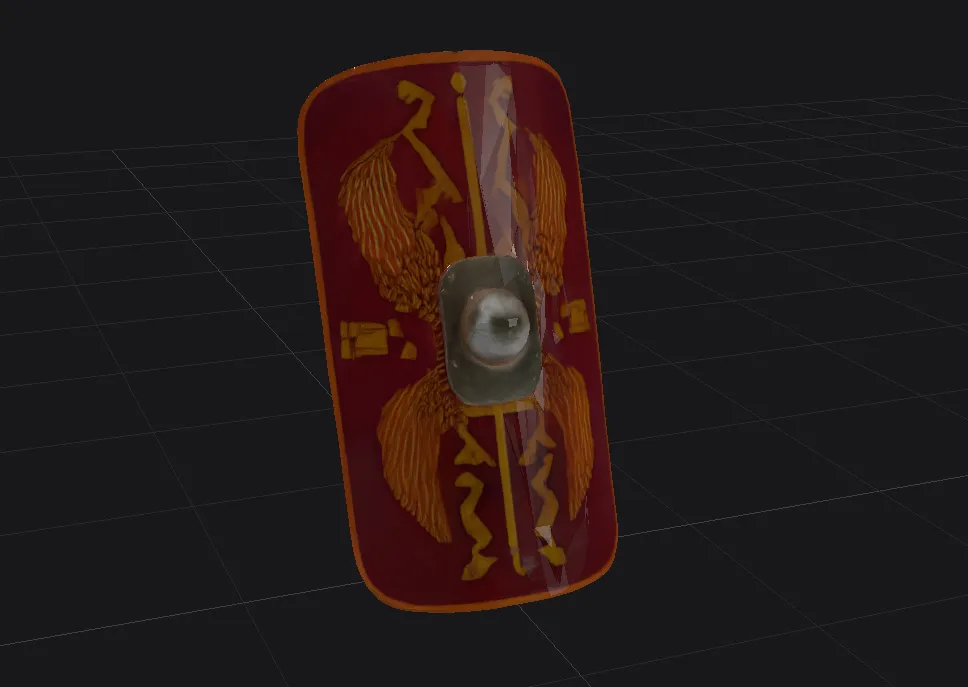
Here a roman shield that I rendered from an image, not bad I would say.
The bigger picture
Modly sits at an interesting spot. The open-source models, Hunyuan3D, TripoSG, Trellis, already exist and are improving fast, but they're a pain to set up individually. Each has its own Python deps, model weights, and CLI. And honnestly, even as a programmer, I have no clue how to set everything up, unless I start learning everything aboug Cuda, Torch, Python envs etc…. (a big no thanks for me!)
Modly's value isn't the models, it's the packaging: one-click install of any model, a unified UI with preview and export, an extension system that makes the ecosystem composable, and a privacy-first architecture that fits the self-hosting crowd.
If you already run local LLMs, Modly is the 3D equivalent. Same philosophy, same trade-offs (you need the hardware), same payoff (you own the whole pipeline).
Keep reading